
For parents
Your child’s letter to Santa, with a link for the grandparents.
Sit down together and write what they’re wishing for, just the way they say it. Truly turns it into a list with pictures. You send one link to the family, see what everyone’s getting, and keep the rest for Santa.
By the Gift DeskUpdated
Your child’s first name
How do I make a Christmas list for my child?
Start at the top of the page with your child’s first name and their wishes, in their own words or as links. You get a list with pictures and one link for grandparents, aunts and uncles. You can see what each of them is getting (that’s on from the start here), your child never has to open it, and the surprise stays theirs.
Why parents use it
- One link for grandparents, aunts and uncles
- You see what each person is getting; your child never does
- No app to install, and nobody makes an account
- Their wishes in their own words, or links from any shop
- One list per child, all in one family link
- Print it with a QR code for the fridge
How it works
1. Write it together
Let them say it, you type it. “A blue scooter, books about space, a fox like the one at Grandma’s.” Truly sorts out the rest.
2. Send it to the family
One link for grandparents, aunts and uncles. They tap “I’m getting this” on a wish, so nothing comes twice.
3. Keep the magic
You see what each person picked and what’s left. Your child never sees the list again until Christmas morning.
What Truly does with what you write
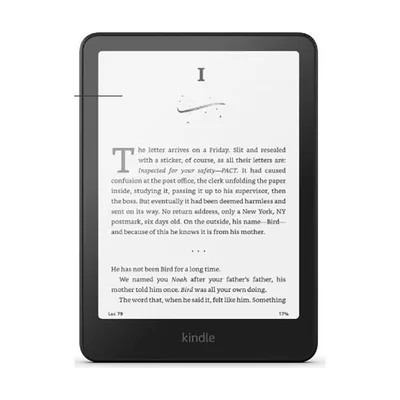
Kindle Paperwhite
~$160
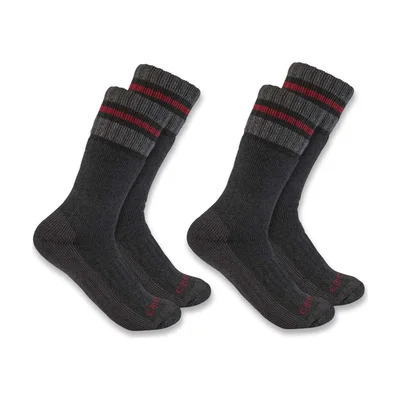
Wool socks
~$20 · Size 9

LEGO Orchid
$50 · LEGO
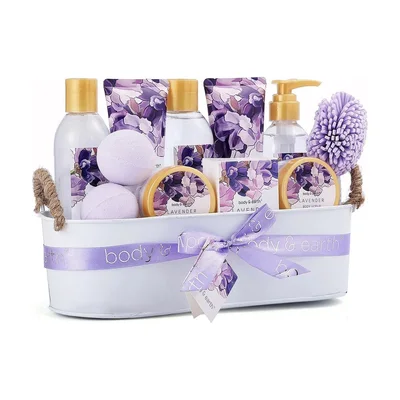 Group gift
Spa day
~$150
Doesn’t want candles
You see the picks. They keep the magic.
On a child’s list, the grown-up running it needs to see what’s taken, so the bike doesn’t come twice and Santa knows what’s left. That’s why “Show me what’s been bought” starts on here. Your child never opens the list; on Christmas morning it’s all new.
- You see
- Every wish, who’s getting what, and what’s still open
- Your family sees
- The wishes, what’s taken, one “I’m getting this” button
- Your child sees
- Nothing until Christmas morning
- Santa sees
- Exactly what’s left for the stocking
Easy enough for Grandma
- A link, not an appIt opens in any browser. Nothing to download, no password to forget.
- One button per wish“I’m getting this”. That’s the whole thing. A reminder before the day if they’d like one.
- Or on paperPrint the list from its menu, with a QR code that opens the live version, for the fridge.
- Where your family already talksShare in WhatsApp, Messages, Messenger or by email, or read out the short link.
Christmas list ideas for kids
Stuck past “a puppy”? Hand-picked Christmas gifts by age, from the Gift Desk.
- Christmas Gifts for Kids, From the Advent Countdown to New Year’s
- Christmas Gifts for Toddlers That Can Compete With the Box
- Christmas Gifts for Tweens: Too Old for Toys, Still Up for Play
- Christmas Gifts for Teens Who Act Too Cool for Christmas
- Gifts for Kids by Age, From First Steps to a Learner’s Permit
- Stocking Stuffers for Kids That Don’t End Up in the Trash
A letter to Santa on paper? The printable letter to Santa has a classic letter, a page to draw on for little ones, and Santa’s reply.
Letter to SantaQuestions people ask
How do I make a Christmas list for my child?
Start at the top of the page (on a phone, tap “Make my wishlist”): your child’s first name, then their wishes. You get a list with pictures and one link for the family; the private link that edits it comes to your email.
Will my child see what’s been bought?
No. The list is yours, not theirs, and they never need to open it. On this page “Show me what’s been bought” starts on, so you see what grandparents picked and what’s left for you and Santa. The people buying are told you can see it.
Does my child need an email address or an account?
No. Nothing is asked of your child. You give your own email once the list is made, only so we can send you its private link.
Can they write a real letter to Santa too?
Yes. The printable letter to Santa template has a classic letter, a draw-and-fill page for little ones, and a reply from Santa for you to write back. Print it for the letter, and keep the online list for the family.
I have more than one child. One list each?
Yes, one list per child, then put all the family’s wishlists in one link, so grandparents get a single link with everyone on it.
What age is this for?
Any age: little ones tell you and you type, older children can write it themselves next to you. For teenagers who want their own list, the regular Christmas list maker is theirs to run.
Is it free?
Yes. No account, no app and no subscription, for you or for anyone you send the list to. Giftruly earns a small commission on some shop links, at no extra cost to anyone, and never shows ads.
Can I add things from any shop?
Yes. Paste a link from any website and the list shows the product's name and picture. Or just write what you'd like, and people get a button to find it.
Will the list show up on Google?
No. Lists are never indexed by search engines, and only people with the link can open it. What they see is a first name and the wishes, nothing else.