
Write it like a message. Get a wishlist.
Say what you’d love, or paste links from any shop. Truly makes it a list with pictures and prices. Share one link: family picks gifts, nobody doubles up, and the surprise stays yours.
Whose wishlist is it?
What Truly does with it
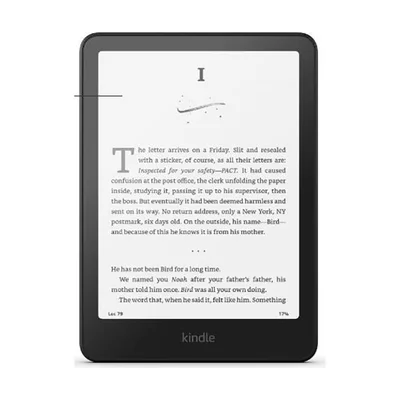
Kindle Paperwhite
~$160
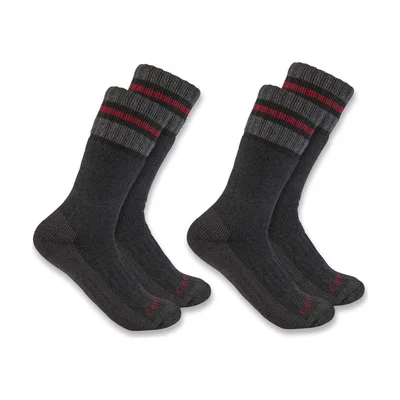
Wool socks
~$20 · Size 9

LEGO Orchid
$50 · LEGO
 Chip in together
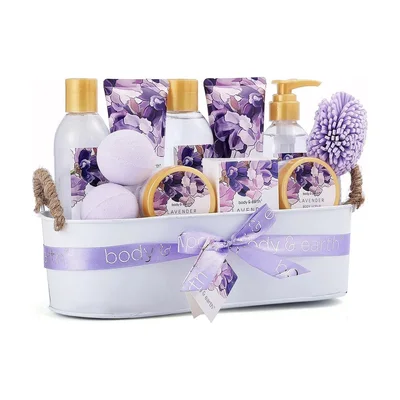
Spa day
~$150
Doesn’t want candles
How it works
1. Write it like a message
Say what you’d love, or paste links from any shop. Truly turns it into a list with pictures and prices.
2. Share one link
WhatsApp, text, email or a QR code.
3. They pick, you’re surprised
People mark what they’re getting, or chip in together for big gifts. After the day, see who gave what and say thanks.
Easy for the people buying
- One tap: “I’m getting this”
- Pictures and prices, and a button to the right shop
- Chip in together for the big gifts
- Sizes and what they don’t want, right where it helps
- A reminder before the day, if they want one
Christmas · in 7 weeks
Emma’s Christmas wishlist
- ★ Most wanted
Kindle Paperwhite
~$160
I’m getting this Wool socks
$20 · Size 9
Grandma is getting this
LEGO Botanical Orchid
$50
I’m getting thisSpa day
~$150
Chip in
A Christmas list maker for the whole family
Make your Christmas list once, send one link, and let everyone tick off what they’re getting. Make one for each child too, and put the whole family’s lists on one page.
Shopping for someone else? Find a gift with Truly or browse gift ideas.
| Feature | Most wishlist apps | Giftruly |
|---|---|---|
| An account to make or use a list | Usually | Never |
| Writing it in your own words | No | Yes |
| Links from any shop | Some shops | Any shop |
| What was bought, on your page | Often shown | Hidden (your choice) |
| Chipping in together for a big gift | Rarely | Yes, free |
| Who gave what, after the day | Rarely | With thank-you notes |
| Ads on your list | Often | Never |
Questions people ask
Is this wishlist maker free?
Yes: no account, no app, no subscription. Giftruly earns a small commission on some shop links, at no extra cost to anyone.
Do I, or the people I send it to, need an account?
No account and no password. Once your list is made, you give your email and we send you its private link, so you can open it on any device. People you send it to just open the link.
Will I see what people are buying me?
Only if you want to. Your page doesn’t show what’s been picked, so the surprise stays, and after the day you can open who gave what, with thank-you notes Truly writes for you. If you’d rather see it as it happens, turn on “Show me what’s been bought”: people are told before they pick.
Can I add things from any shop?
Yes. Paste a link from any website and the list shows the product’s name and picture. Or just write what you’d like, and people get a link to find it.
How do people mark what they’re getting?
Each wish has an “I’m getting this” button. Everyone else then sees it’s taken, with the first name of whoever took it if they gave one. They can mark it bought, undo it, or ask for a reminder before the day, with a link that opens their picks on any phone.
Can I make lists for my kids, or the whole family?
Yes. Make a list for each child, then put everyone’s lists on one family page with a single link.
Can I use it for a birthday, a wedding or a baby shower?
Yes. Write it in what you type (“for my birthday on March 3”) or pick Birthday, Wedding, Baby shower or Other, and the list counts down to the day. Big gifts, like a stroller or a honeymoon, can be “chip in together”: people chip in what they like towards it.
How do I edit my list from another phone?
Open the private link we emailed you when you saved your list, on any device. Lost it? Tap “Lost your list?” under these questions and we’ll send it again. Keep it to yourself: anyone with it can edit your list.
Can I print my list?
Yes. Print it from the list’s menu: it comes with a QR code that opens the live list, handy on the fridge or for grandparents.
Is there an app?
You don’t need one: it works in any browser. If you have the Giftruly app, the same list is there too.
How long does my list last?
As long as you like. A few days after Christmas or your birthday, everything becomes available again by itself, ready for next time.
What happens to what I write?
Truly, Giftruly’s AI, only uses it to make your list: no ads, no profile. Your list holds a first name and your wishes, until you delete it.
Doing Secret Santa this year?
Secret Santa