
Christmas list maker. One link for the whole family.
Write what you’d love, the way you’d say it, or paste links from any shop. Truly turns it into a list with pictures and prices. Send one link: family pick what they’re getting, nobody doubles up, and you don’t see a thing until Christmas.
By the Gift DeskUpdated
Whose wishlist is it?
How do I make a Christmas list online?
Start at the top of this page with your first name and what you’d love (or paste links from any shop). You get a list with pictures and prices and one link to send by WhatsApp, text or email. People tap “I’m getting this”, so nobody buys the same thing, and your list never shows you what’s been picked.
Why it works for a whole family
- One link for the whole family, every child’s list included
- No app to install: it opens in any browser, on any phone
- Nobody makes an account: you give your email once, so you can get back to your list from any phone
- Family see what’s already taken, so nobody doubles up; you don’t, so the surprise stays
- Paste links from any shop, or just write what you’d like
- Print it with a QR code for grandparents
- Free, with no ads
Comparing apps? See how it stacks up against other Christmas list apps.
How it works
1. Write it like a message
“A Kindle, cozy socks (size 9), anything from LEGO Botanical, no candles please.” Links from any shop work too.
2. Send one link
In the family chat, by text or email, or printed with a QR code for the fridge.
3. They pick, you’re surprised
Each wish has an “I’m getting this” button. Everyone else sees it’s taken; you don’t, until after Christmas.
What Truly does with what you write
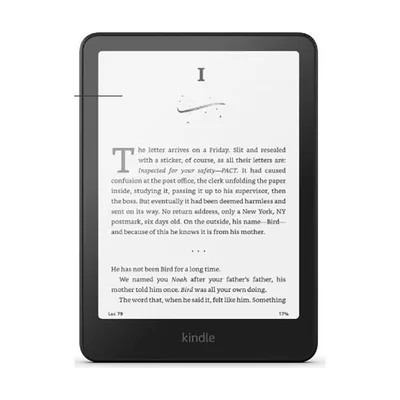
Kindle Paperwhite
~$160
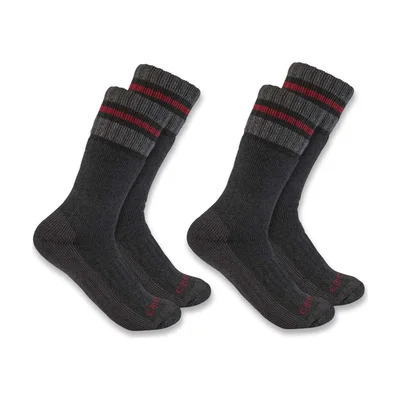
Wool socks
~$20 · Size 9

LEGO Orchid
$50 · LEGO
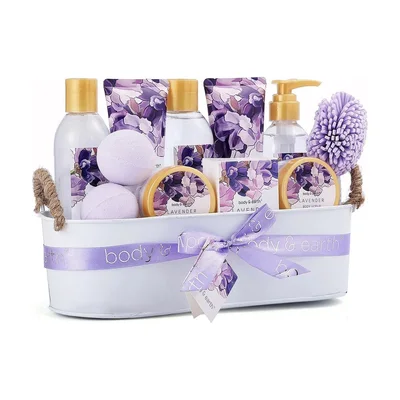 Group gift
Spa day
~$150
Doesn’t want candles
The surprise stays yours
Some list apps tell you when a wish is reserved, or only hide it for a few weeks. Giftruly doesn’t: your own page looks the same on December 24 as the day you made it. After Christmas you can open who gave what, with thank-you notes Truly writes for you.
- You see
- Your wishes, as you wrote them
- Your family sees
- What’s taken, so nobody doubles up
- After Christmas
- Who gave what, and a thank-you to send
- Nobody sees
- Ads, or your list on Google
Easy enough for Grandma
- A link, not an appIt opens in any browser. Nothing to download, no password to forget.
- One button per wish“I’m getting this”. That’s the whole thing. A reminder before the day if they’d like one.
- Or on paperPrint the list from its menu, with a QR code that opens the live version, for the fridge.
- Where your family already talksShare in WhatsApp, Messages, Messenger or by email, or read out the short link.
Christmas list ideas
Not sure what to ask for? Our Christmas guides are hand-picked, with real products and honest notes.
- Christmas Gifts for Her for Every Kind of Winter Person
- Christmas Gifts for Him He’ll Still Be Using in March
- Christmas Gifts for Teens Who Act Too Cool for Christmas
- Christmas Gifts for Mom, the One Who Makes the Holidays Happen
- Christmas Gifts for Dad, Matched to How He Spends the Holidays
- Christmas Gifts Under $50 That Get Used All Winter
Prefer pen and paper? Print a Christmas list template, fill it in by hand or on screen.
Printable listMaking lists for your children? The kids’ Christmas list maker is set up for parents.
Questions people ask
How do I make a Christmas list online?
Start at the top of this page (on a phone, tap “Make my wishlist”): your first name, then your wishes, in your own words or as links from any shop. Truly turns it into a list with pictures and prices, and you get one link to share. Then give your email, so you can get back to your list from any phone.
Is there a Christmas list app?
This is one, without the download: it works in any browser on an iPhone, an Android phone or a computer, and the people you send it to just open the link. If you have the Giftruly app, your list is there too.
Will I see what people are buying me?
Not unless you want to. Your page never shows what’s been picked, so the surprise stays. After Christmas you can open who gave what, with thank-you notes ready to send. If you’d rather see it as it happens, turn on “Show me what’s been bought”: people are told before they pick.
What should I put on my Christmas list?
Eight to twelve wishes at a mix of prices is plenty: a few things you’d love, a few useful ones, sizes and colors where they matter, and one or two things you don’t want. Mark the one you want most. Stuck? The Christmas gift guides further down this page are a good place to start.
Can I make Christmas lists for my kids?
Yes. The kids’ Christmas list maker is set up for parents: your child’s name, their wishes in their words, and you see what grandparents pick so you know what’s left for Santa. Make one per child and put all the family’s wishlists in one link.
Is there a printable Christmas list?
Yes: the printable Christmas list template is a page you can fill in on screen or by hand, with a “Dear Santa” version for children. It prints on A4 or US Letter.
Is it free?
Yes. No account, no app and no subscription, for you or for anyone you send the list to. Giftruly earns a small commission on some shop links, at no extra cost to anyone, and never shows ads.
Can I add things from any shop?
Yes. Paste a link from any website and the list shows the product's name and picture. Or just write what you'd like, and people get a button to find it.
Can grandparents use it without an app?
Yes. The link opens like any web page on a phone, tablet or computer, with one big “I'm getting this” button on each wish. Prefer paper? Print the list from its menu: it comes with a QR code that opens the live list.
Will the list show up on Google?
No. Lists are never indexed by search engines, and only people with the link can open it. What they see is a first name and the wishes, nothing else.